
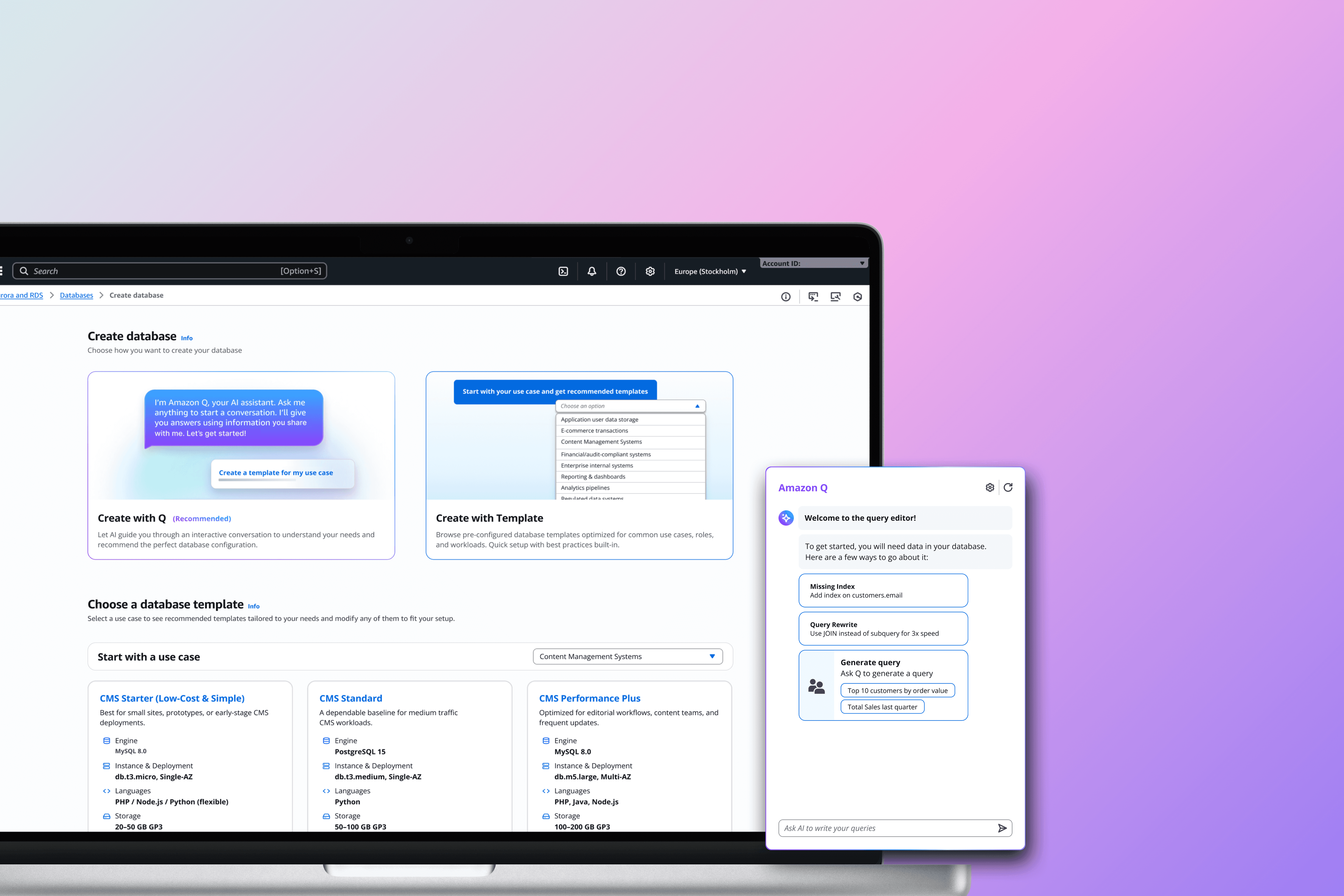
With over 1.1+ million global users relying on Amazon Relational Database Services (AWS RDS) for mission-critical workloads, even small inefficiencies create significant downstream impact, which are reflected in the form creation setup and the database onboarding journey.
Over the course of this 7-month graduate capstone, I led research and design efforts within a team of 4 to rethink how users understand and manage their databases.
Skills
Mixed-method research
Product design
AI + high fidelity prototyping
Usability testing
Project management
My Role
Research moderator
Designer (Database console)
Workshop facilitator
Project manager / organizer
Timeline
7 months, Q2-4 2025
Industry
Cloud Database Infrastructure
Enterprise UX
Final Design at a Glance
Before redesign
Database Setup (Step 1 of user journey):
Long form
Complex configurations
New user confusion
After redesign
Database Setup (Step 1 of user journey):
Conversational AI setup
Personalized templates
Reduced configuration
Before redesign
Database Management (Step 2 of user journey):
CTA clutter & decision fatigue
Unclear hierarchy
Technical barrier to entry
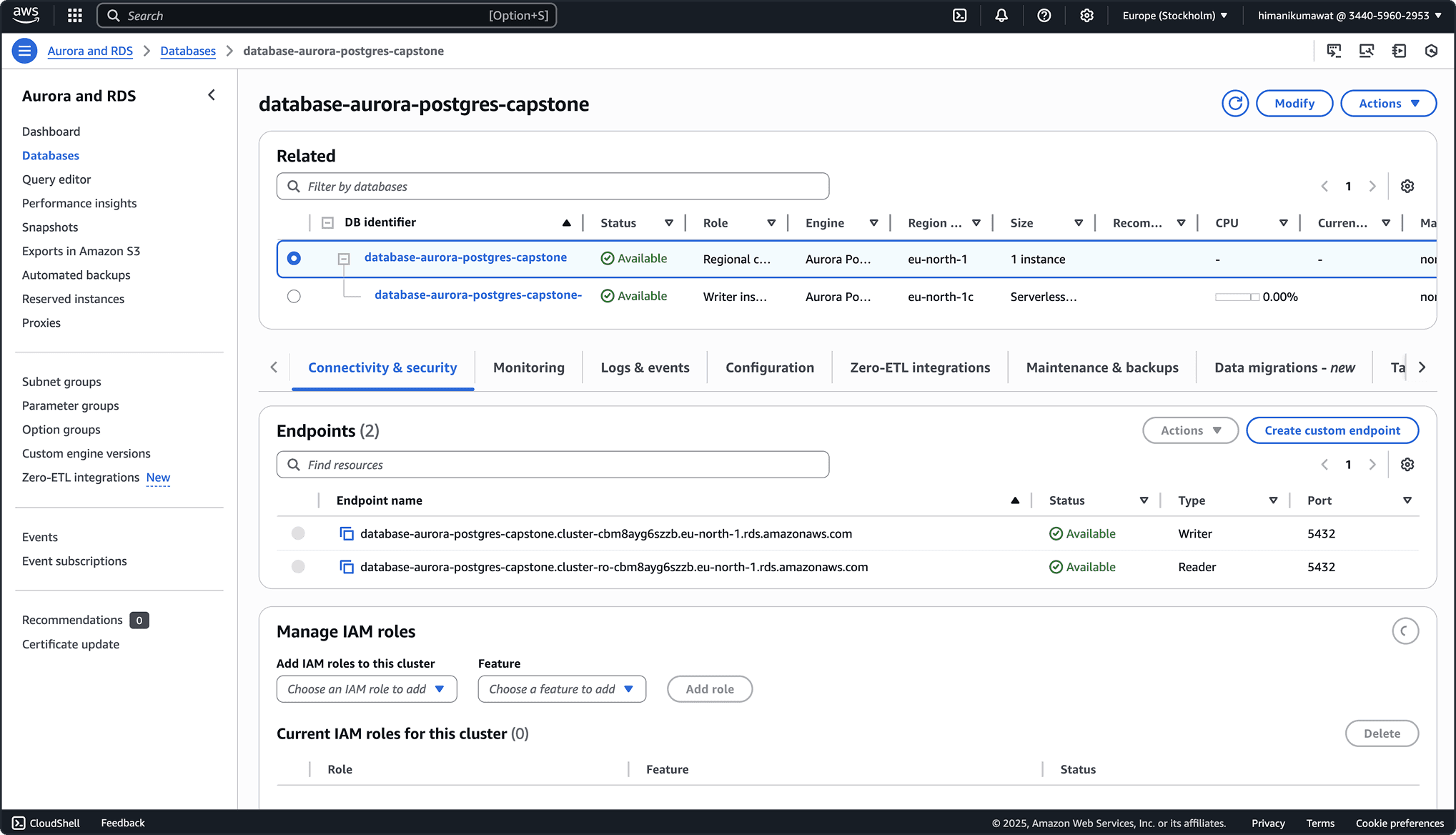
After redesign
Database Management (Step 2 of user journey):
Simplified & structured card-based layout
Focused CTAs upfront
Contextual in-flow AI guidance
Key metrics
Accelerated setup flow
The redesigned flow cut database setup time by 7 minutes, helping users reach the console faster and stay engaged in the AWS workflow with stronger task momentum.
94% Information readiness score
Users could immediately understand how to work with their data, with key information surfaced upfront and noticeably less hesitation and friction than in the legacy experience.
What is AWS RDS?
As a new designer on this project, these terms flew right over my head
Amazon Relational Database Services (AWS RDS) is a cloud tool that helps people set up and manage databases at scale.
Much like a coffee machine for databases: you pick your type, press a few buttons, and it brews everything for you without needing to understand the inner mechanics.
But that beginner’s confusion became my greatest asset.
It helped me design for others who might feel just as overwhelmed stepping into cloud computing for the first time.
Problem
Constraints in problem-solving
Domain complexity
This meant that I had to deep-learn the uncharted waters: interviewing database practitioners to understand their workflows, unpack technical jargons, and identify the most critical JTBD's before ideation began.
AWS system thinking
AWS’s ecosystem is also highly interconnected, so designing for one service or persona required us to consider ripple effects across many others.
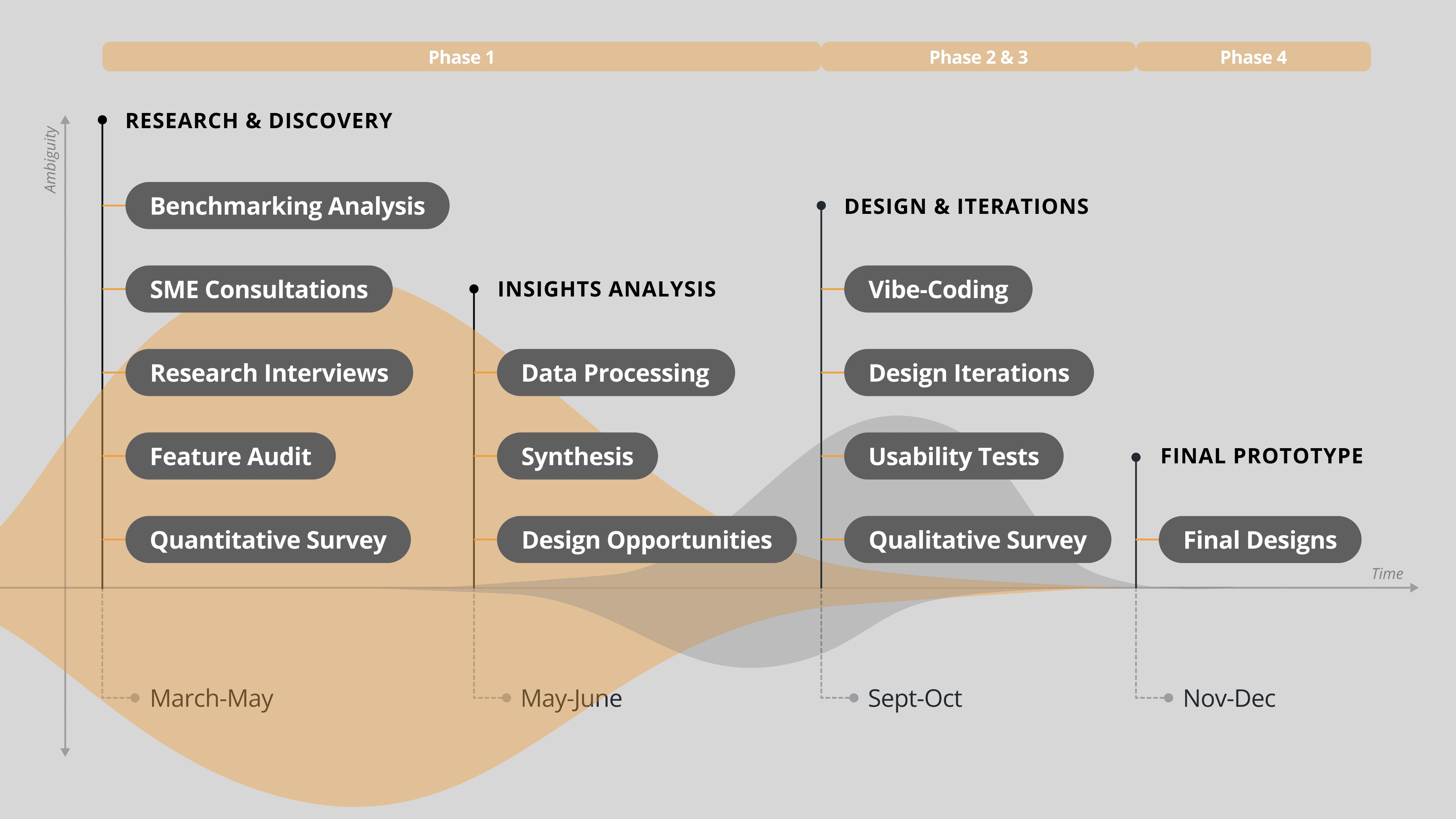
The Process: How did we get here?
Lots of meetings, interviews, learnings
This phase (3 months) focused on learning the domain before designing within it
Me (left) and my team conducting research interviews while simultaneously curating insights on the wall.
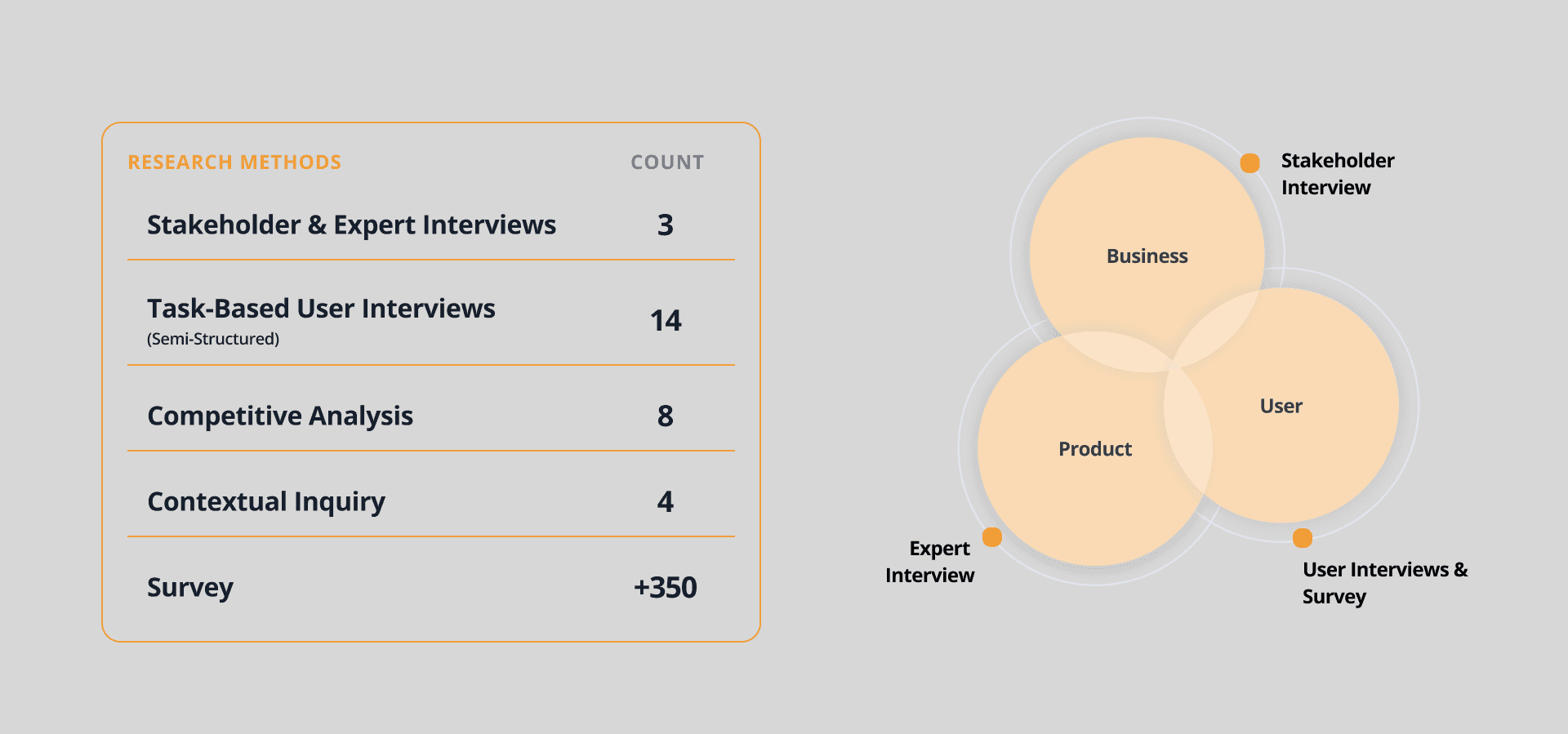
Research methods breakdown:
Insights summary
Technical gridlock
Users felt they needed a high level of database knowledge just to move through setup. Unfamiliar terms, configuration dependencies, and system complexity made even simple decisions feel risky.
Information blindness
The interface presented too much information at once - making it difficult for users to tell what mattered most. Critical decisions were buried in dense forms, increasing cognitive load and slowing progress.
Unclear Next Steps
After creating a database, users were left without a clear sense of what to do next. The experience lacked guided next steps, making the transition from setup to actual use feel abrupt and unsupported.
First, here's what we started with…
Low-fidelity mockups were created within 1 week of synthesizing insights, serving as an immediate baseline grounded in what users shared during research interviews
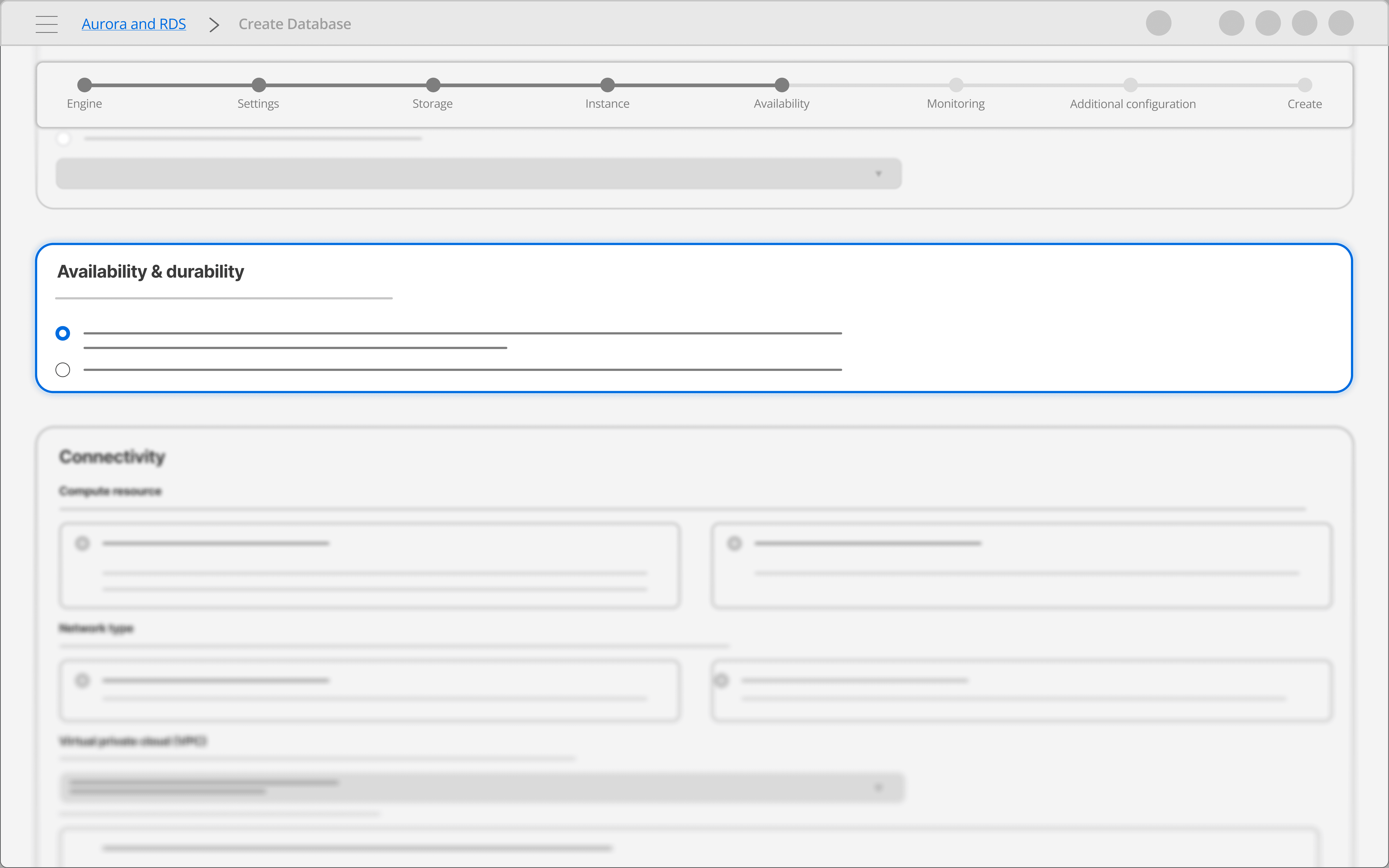
Database Setup (Step 1 of user journey):
Progressive disclosure reduced technical gridlock by breaking setup into manageable steps with clear progress throughout the journey.
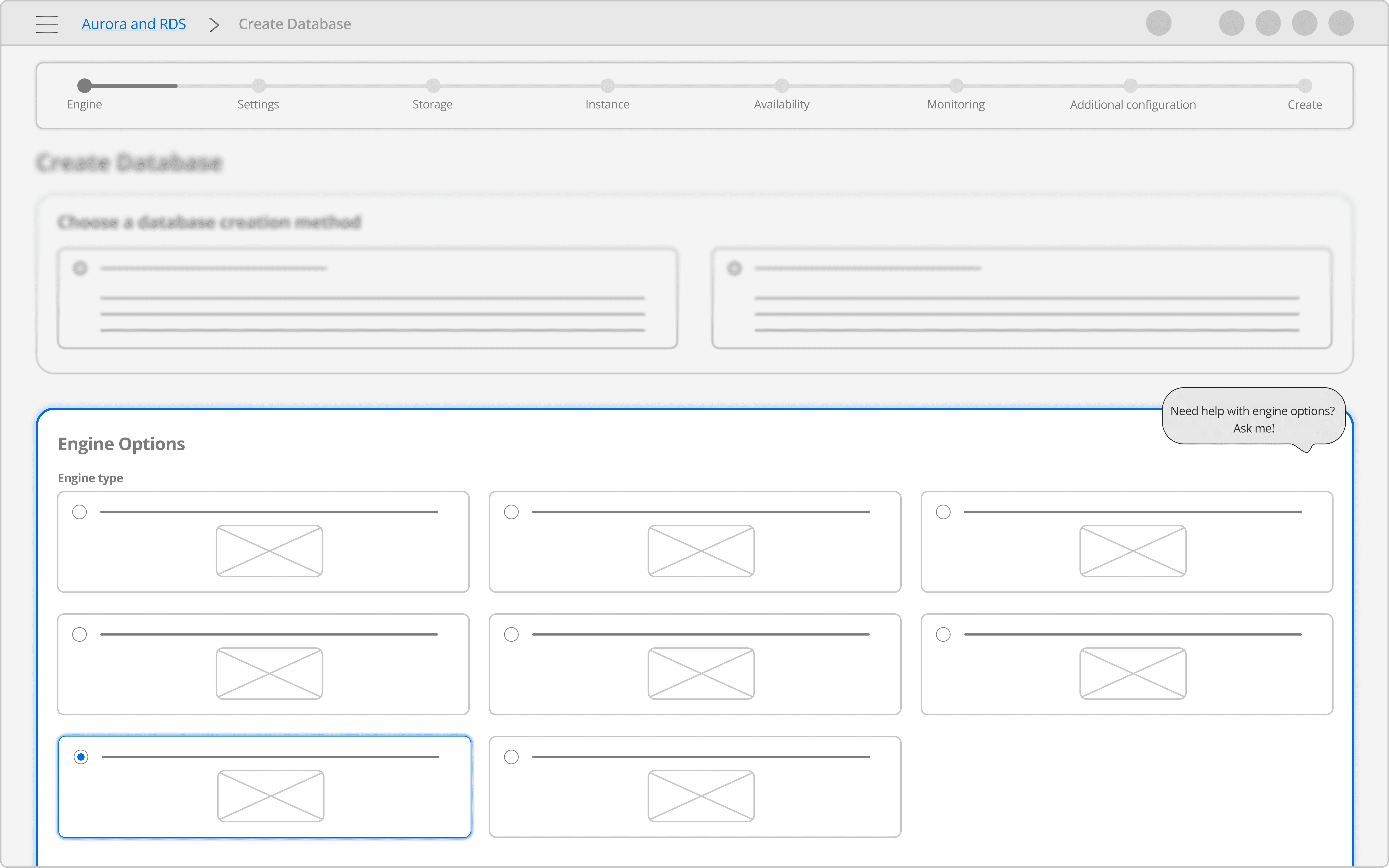
Database Setup (Step 1 of user journey):
Embedded AI Tooltip clarified complex terms and surfaced relevant resources directly within the workflow, reducing technical uncertainty.
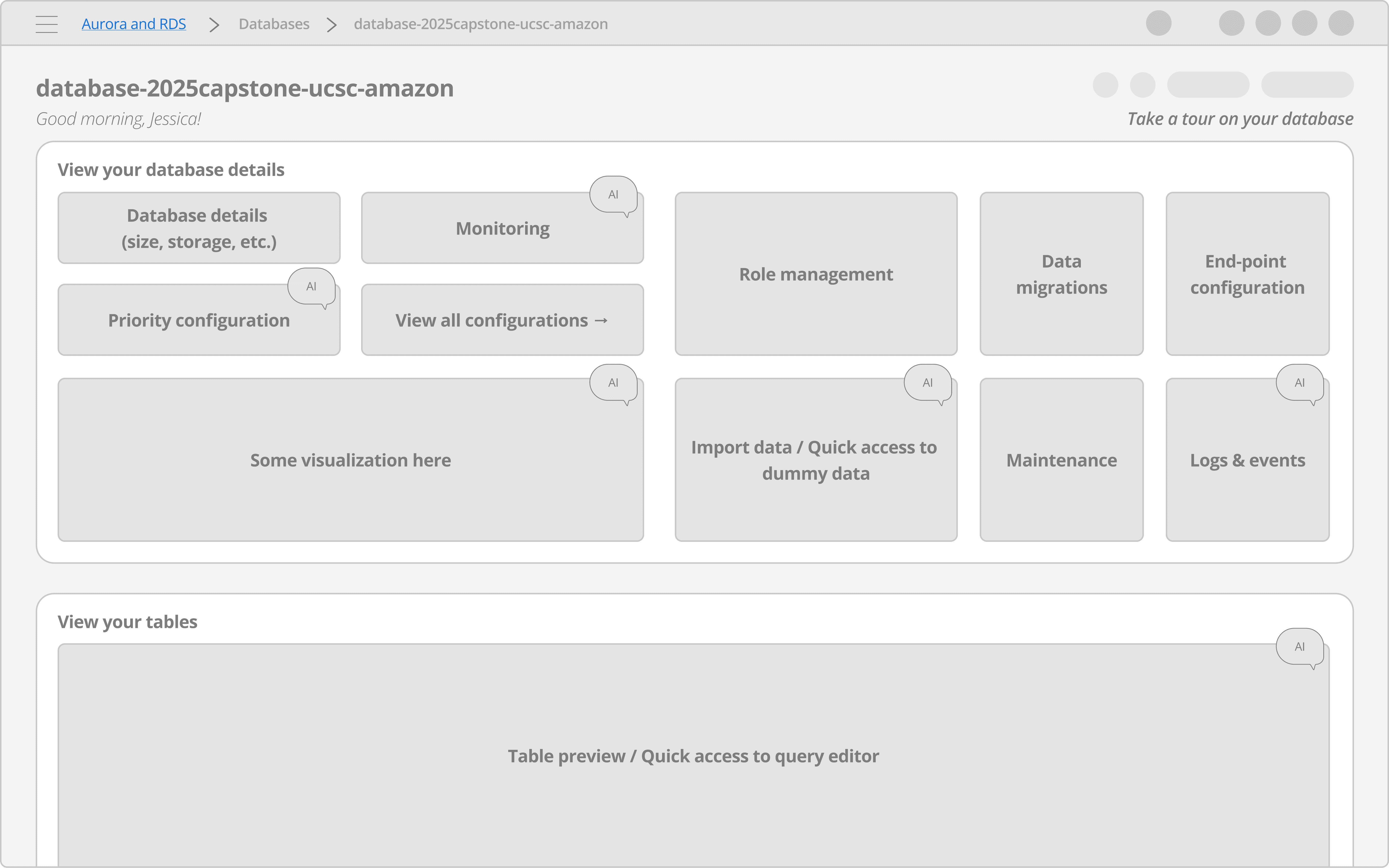
Database Management (Step 2 of user journey):
A card-based console & a guided tour reduced information blindness and surfaced clearer next steps after database creation.
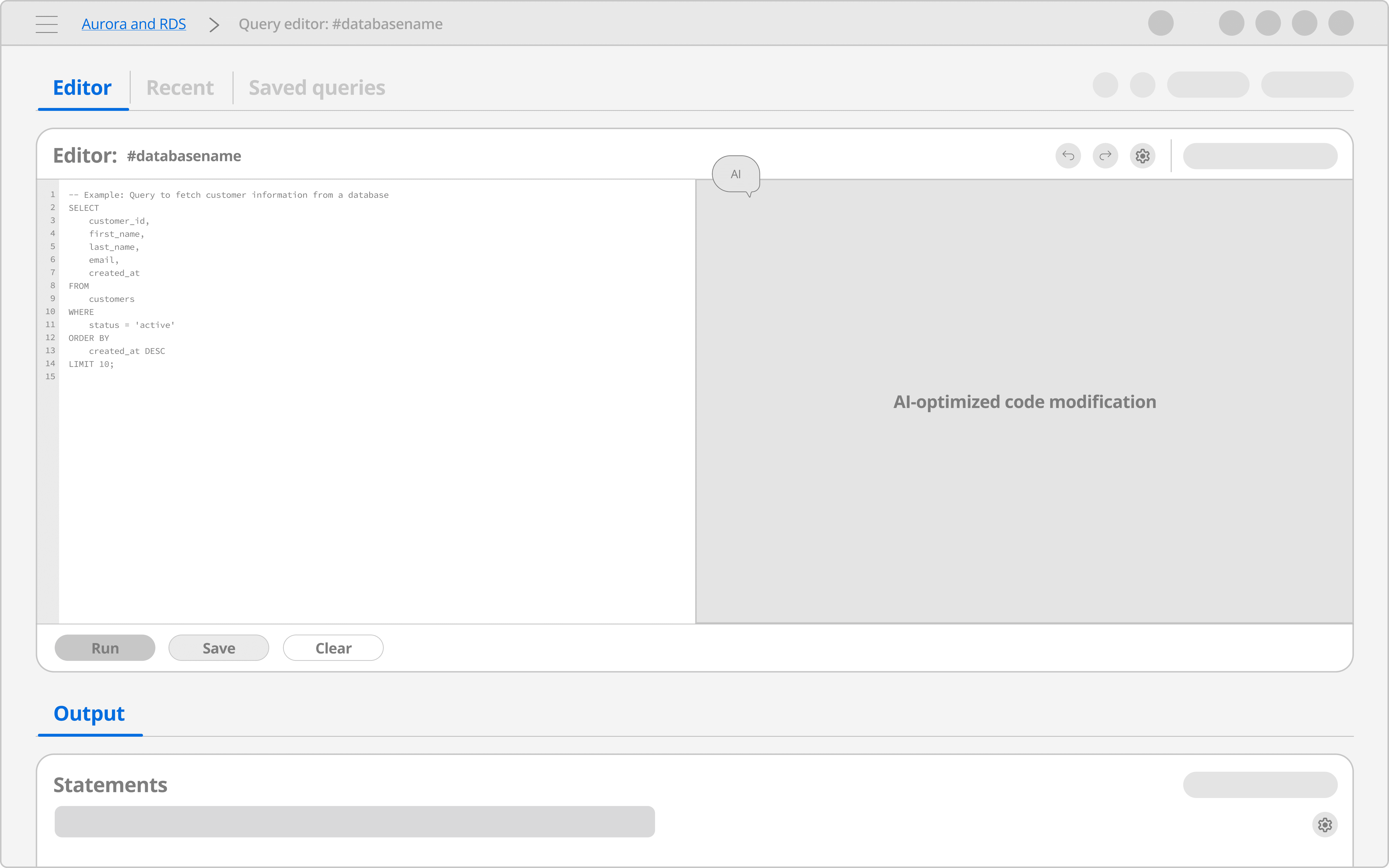
Database Management (Step 2 of user journey):
In-flow AI companion provided page-aware code help and inline recommendations, assisting users with next-step decision-making.
Next, it was rapid concept exploration at full speed
Fail Early, Refine Quickly!
Instead of lingering in low-fidelity, we spent one month using AI prototyping tools: Figma Make, Lovable, Base44, UX Pilot, to quickly pressure-test and compare dozens of concepts. This enabled us to produce our first interactive flow in Figma Make.
via Figma Make
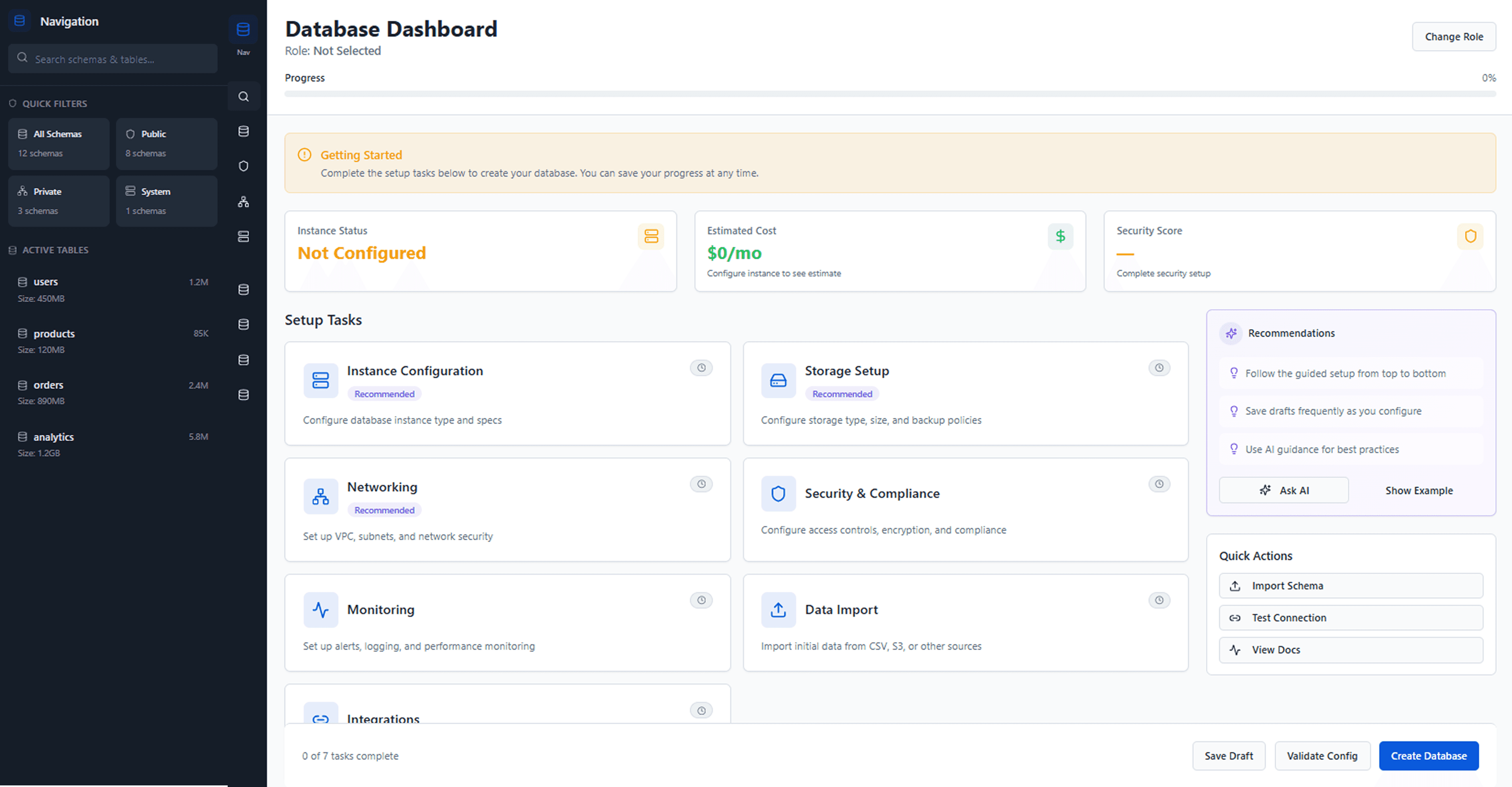
via Lovable
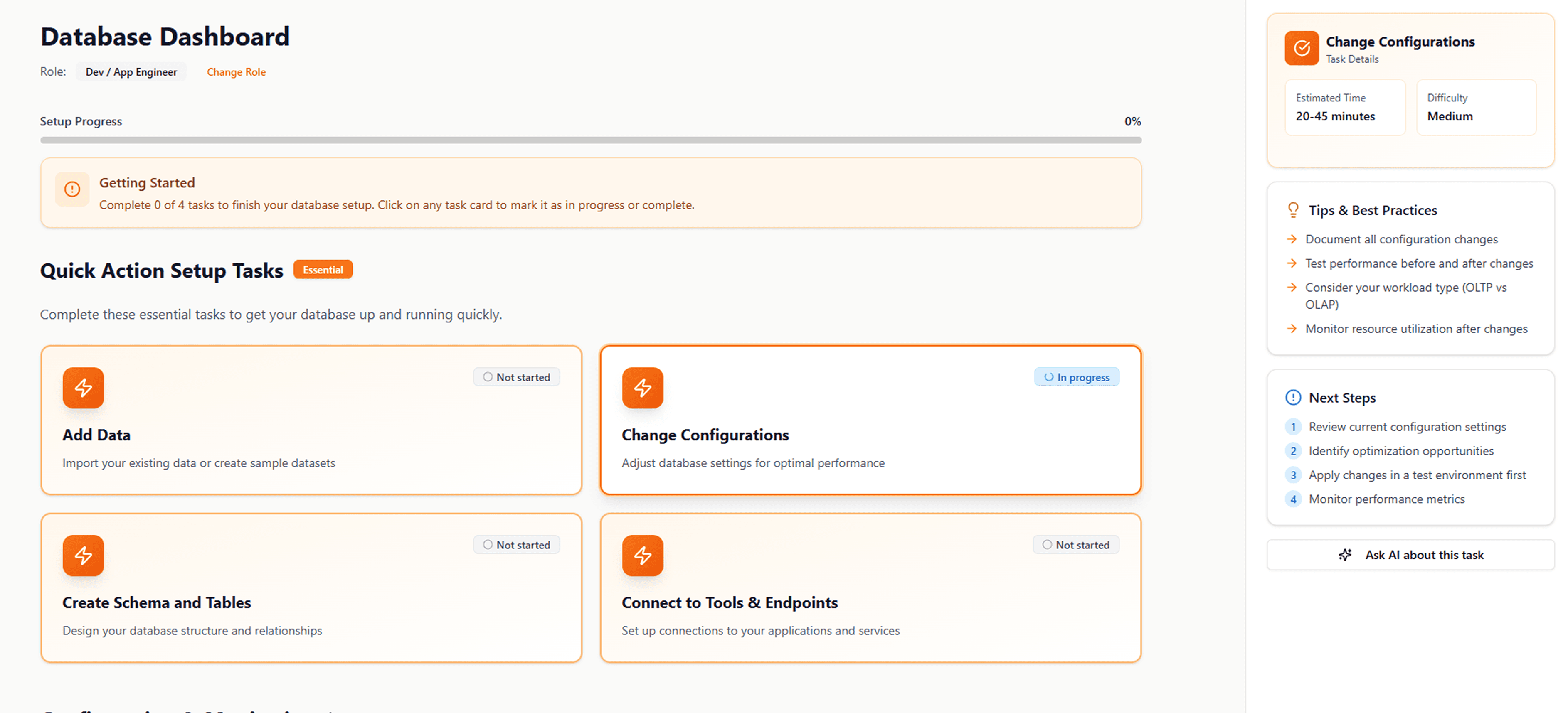
via Base44
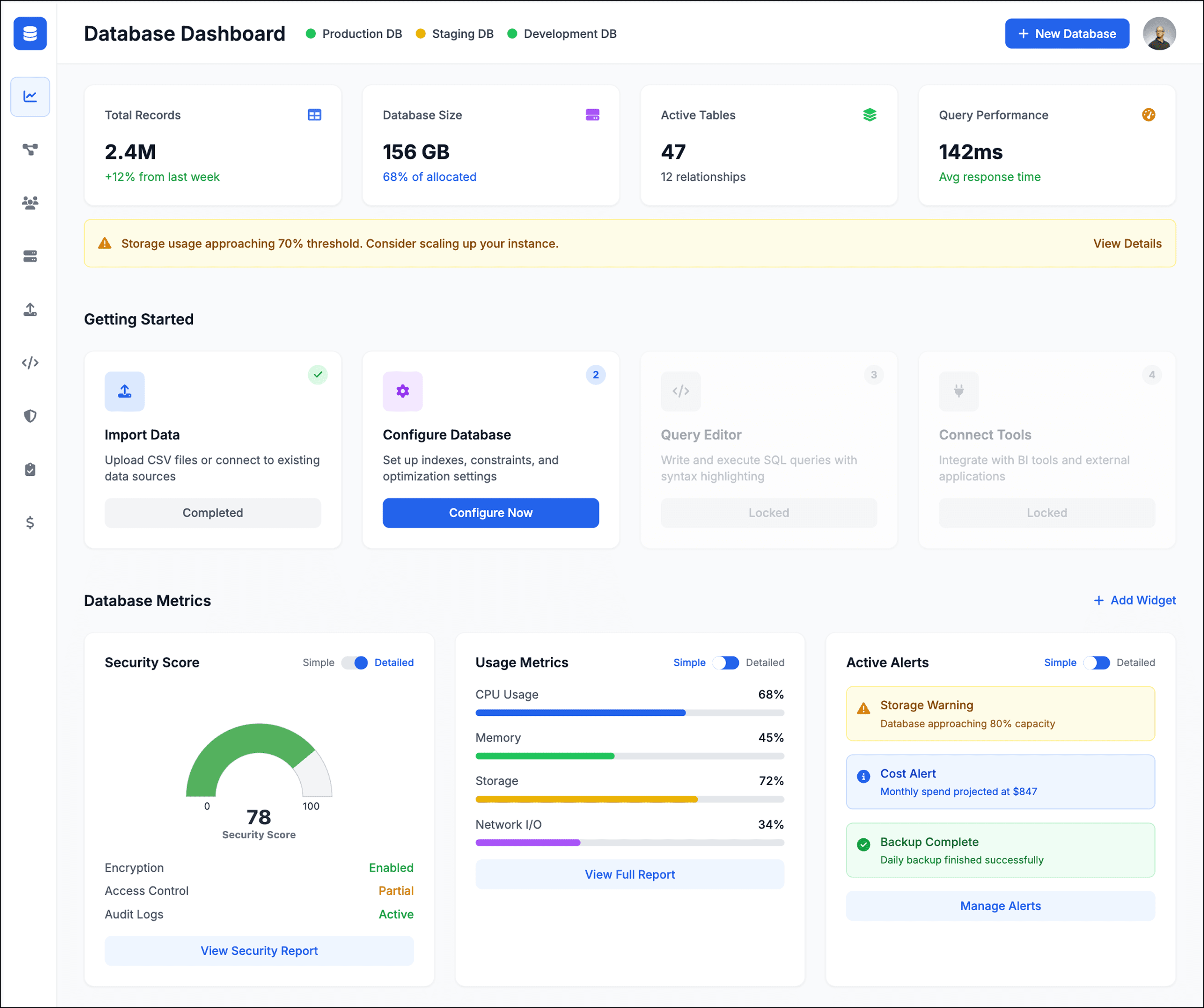
via UX Pilot
Iteration #1
Database Setup: Progressive Disclosure
We realized that while progressive disclosure helped reduce information blindness, the form still felt like one long, continuous journey. So as a team, we pushed the pattern further by breaking the workflow into separate pages: introducing one decision at a time, first asking for role, then surfacing recommended templates.
This helped us further reduce cognitive load while giving users a clearer sense of progress.
AI prototype
Iteration #2
Database Management: Guided Tour
Although a guided tour initially seemed like a strong solution for onboarding support, we ultimately deprioritized this feature in favor of more impactful features that better addressed research insights, while also being more realistic within the project’s implementation scope and timeline.
Additional interview findings showed that users were struggling less with exploration itself and more with unclear next steps after database creation. Users also suggested that direct, action-oriented CTAs would better reduce information blindness and help them build familiarity with managing their database.
After aligning with Maria, our AWS sponsor, we focused the experience around guided CTAs rather than a full dashboard tour.
AI prototype
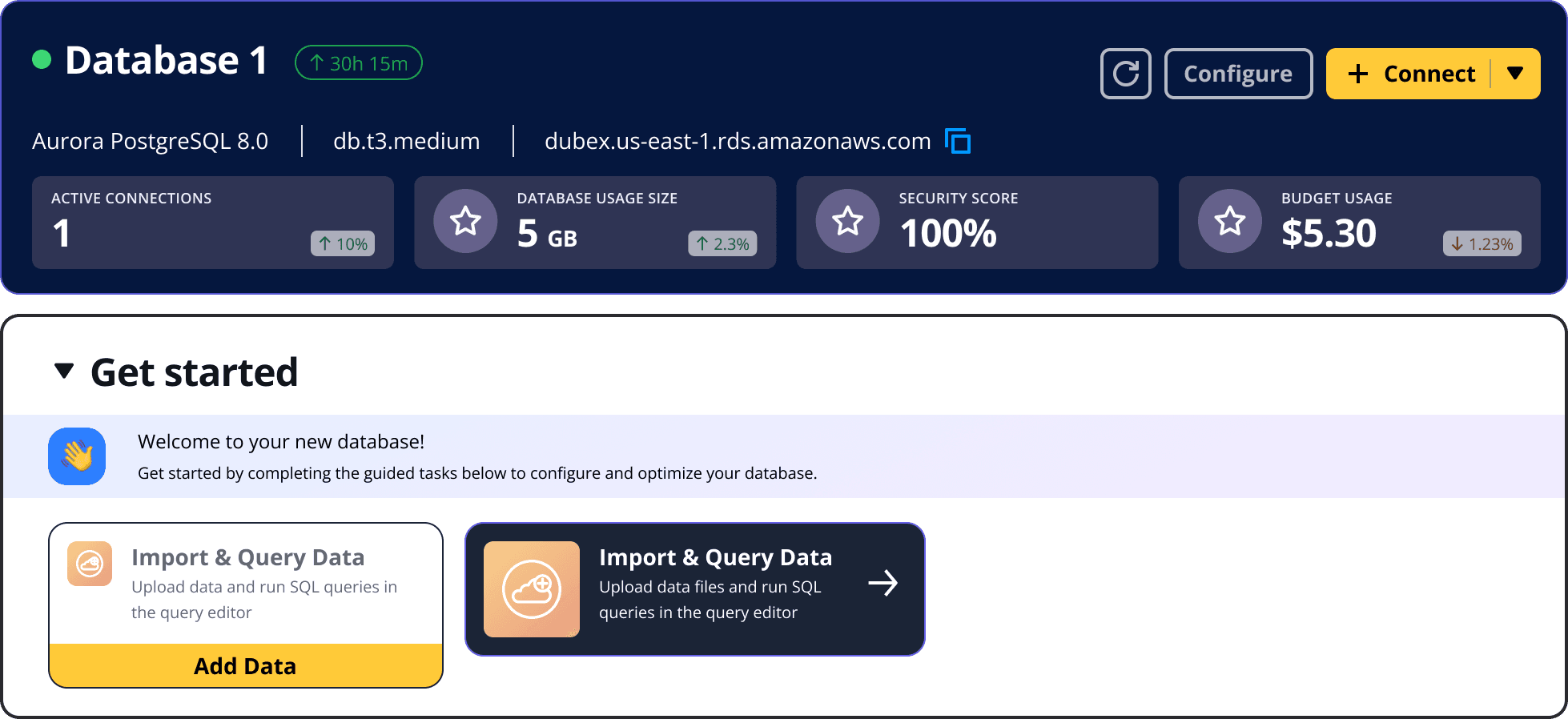
Iteration (a)
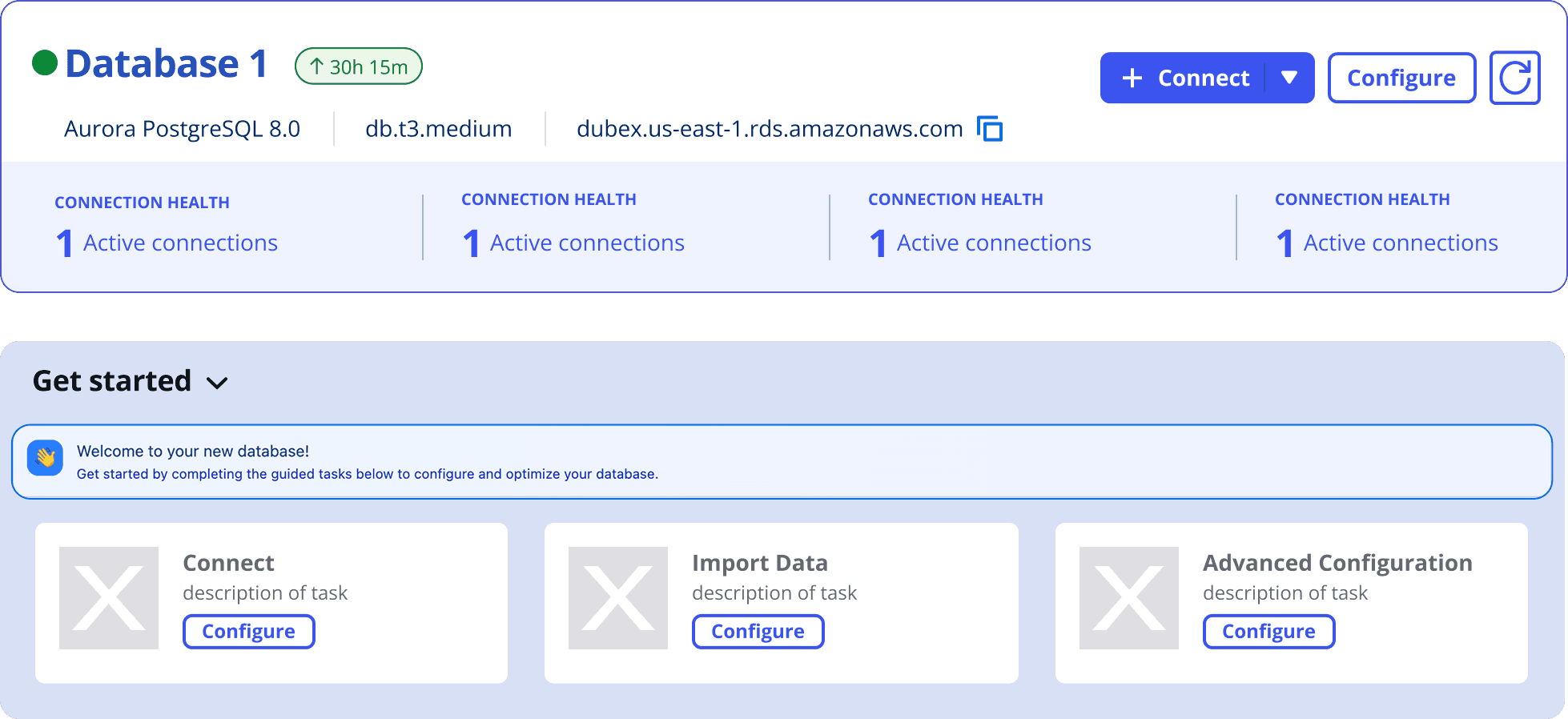
Iteration (b)
Now that we have an MVP, it was time to put it to testing
Over the next 1.5 months, we conducted 7+ moderated usability interviews and 35+ unmoderated tests through UserTesting to validate the newly established mental model for the RDS experience.
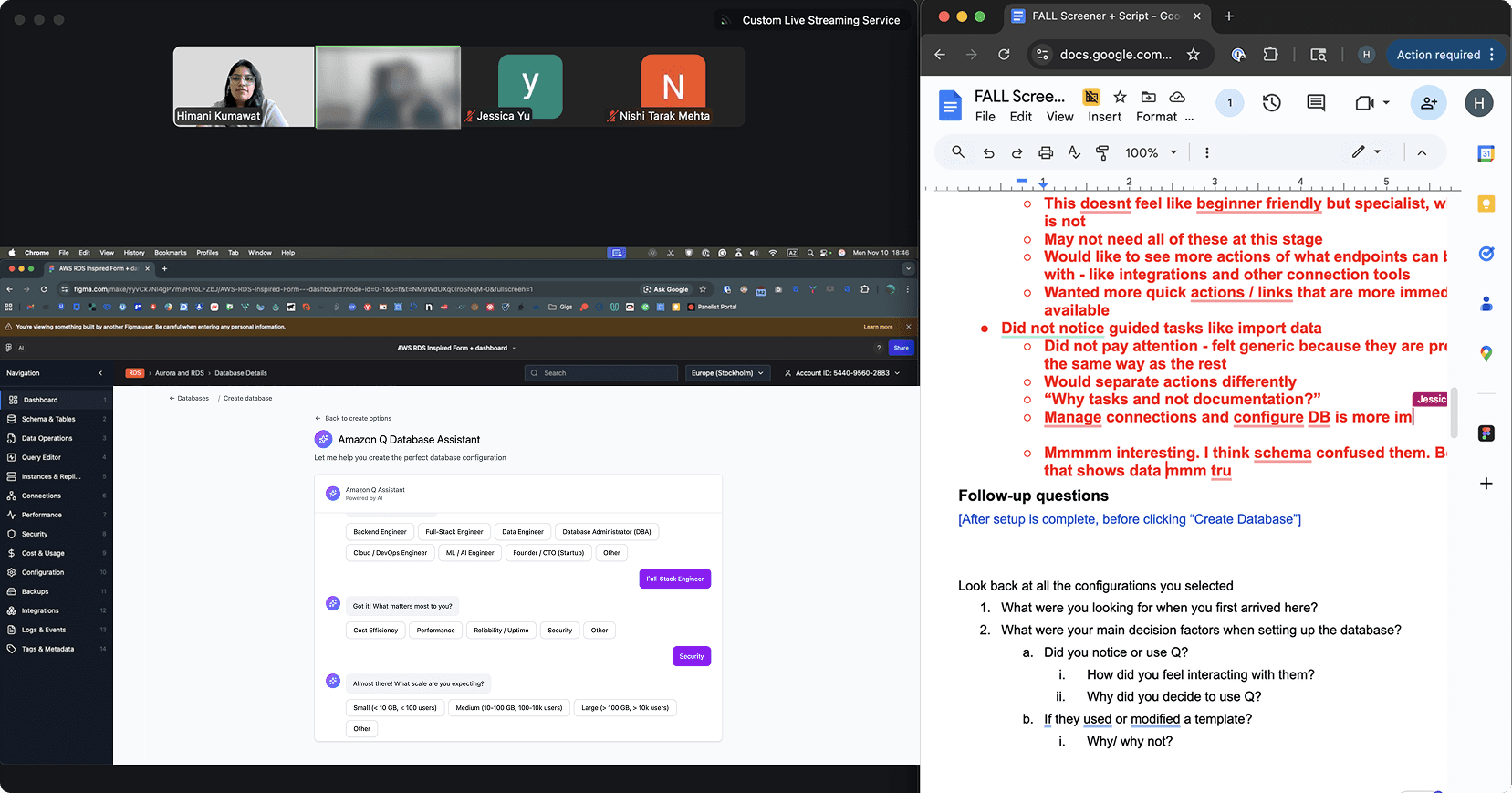
Our moderated usability setup: 1 interviewer, 1 note-taker, 1 moderator, rotate and repeat.
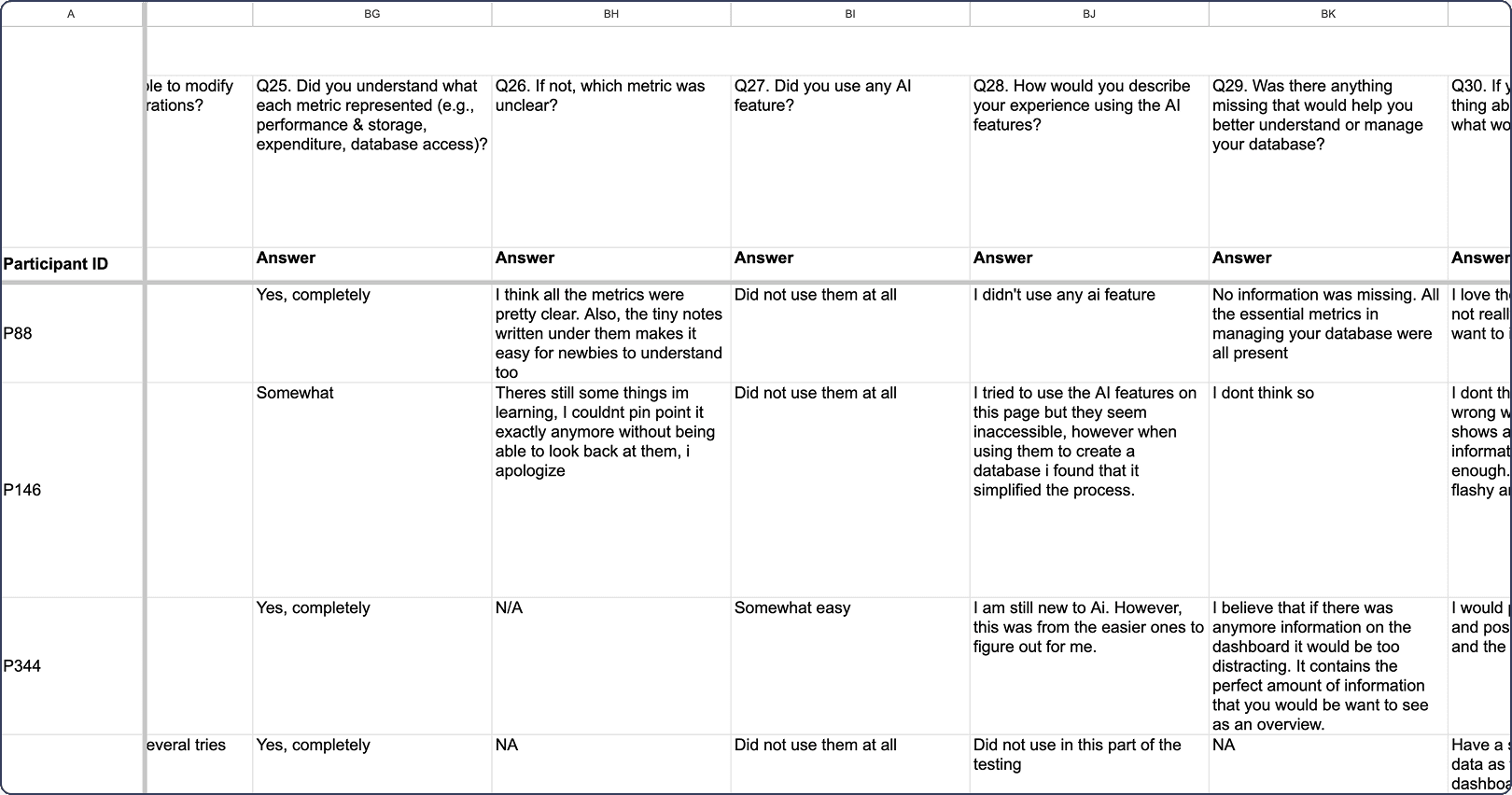
We tracked the unmoderated usability results via a spreadsheet.
Usability Feedback #1 + Iteration
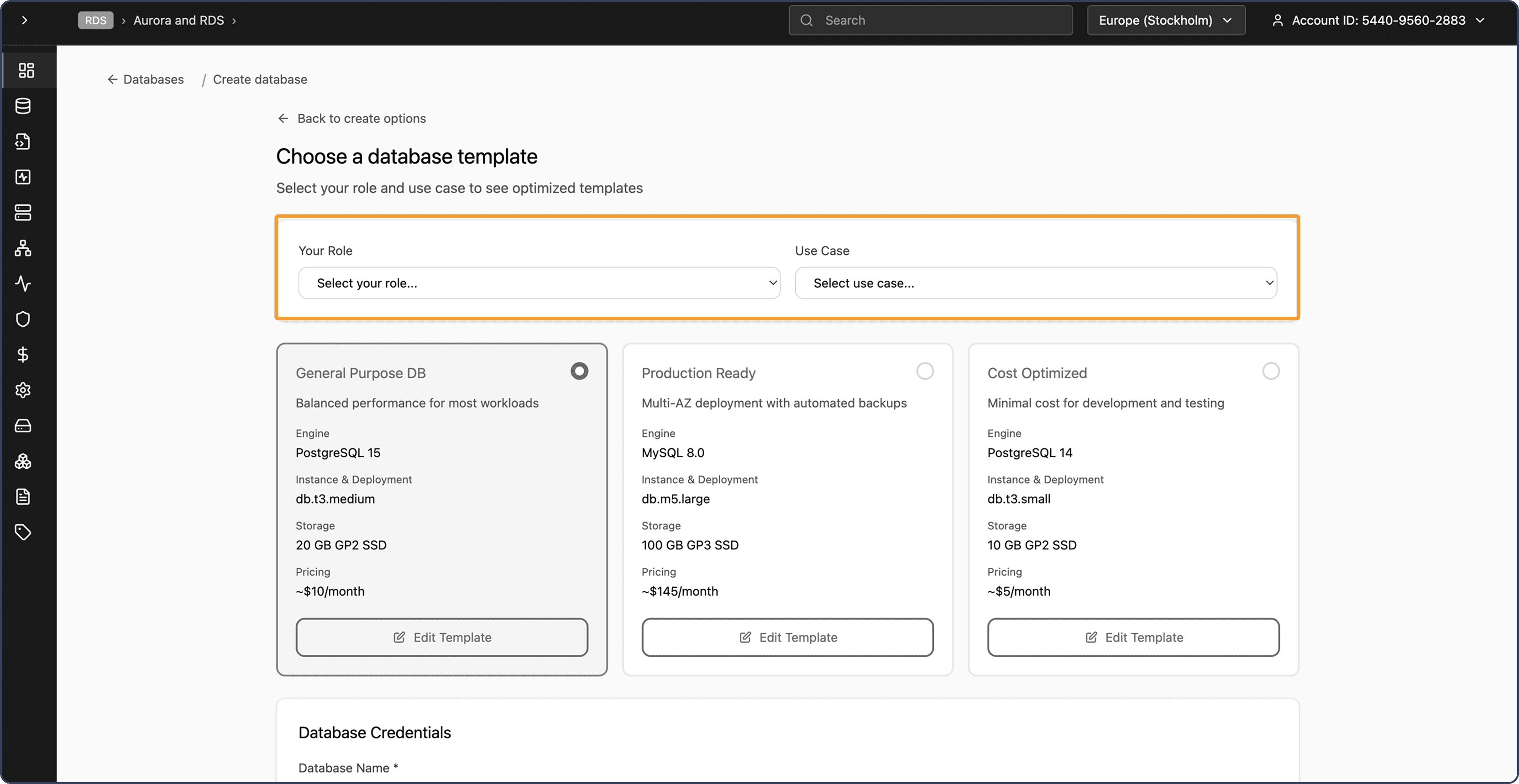
Usability testing revealed many users skipped the “Role” step entirely, with several participants noting that it did not meaningfully contribute to their journey at that stage.
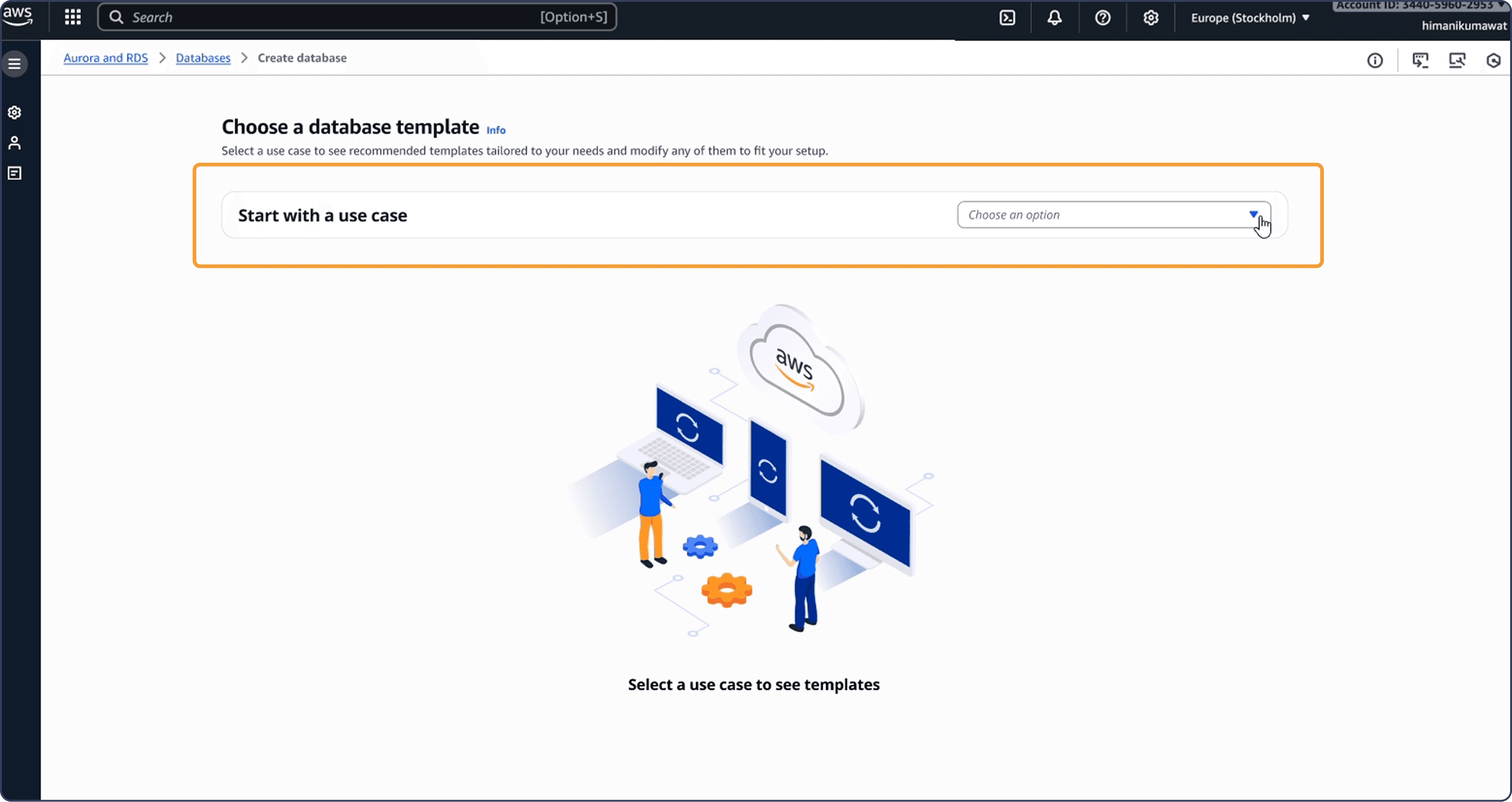
As a result, we omitted role-based selection and streamlined the flow around the user’s intended use case.
Usability Feedback #2 + Iteration
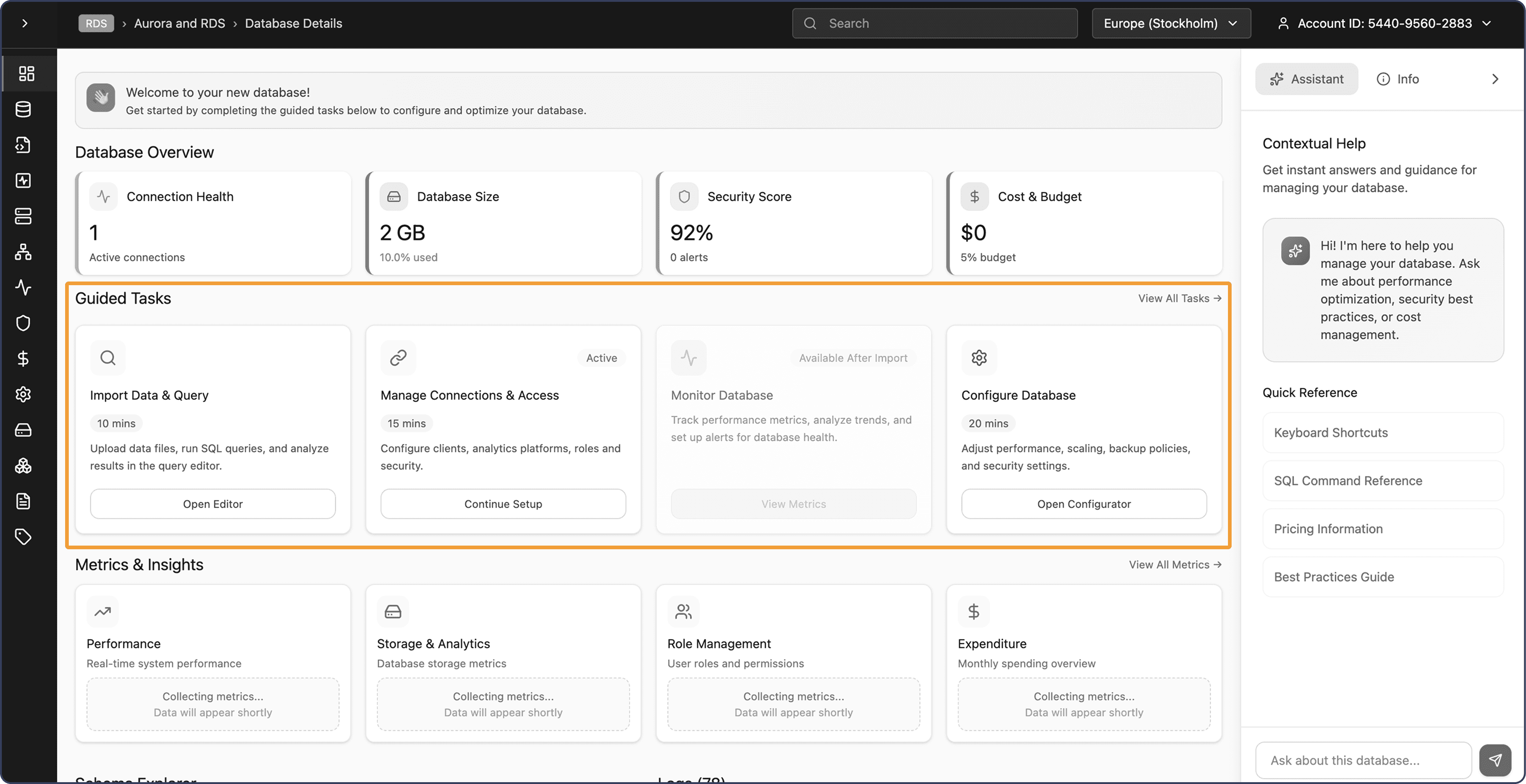
Users struggled to notice the guided tasks because the design looked too similar to other page elements. The AI assistant was also rarely used, largely because it did not feel contextual to the task at hand.
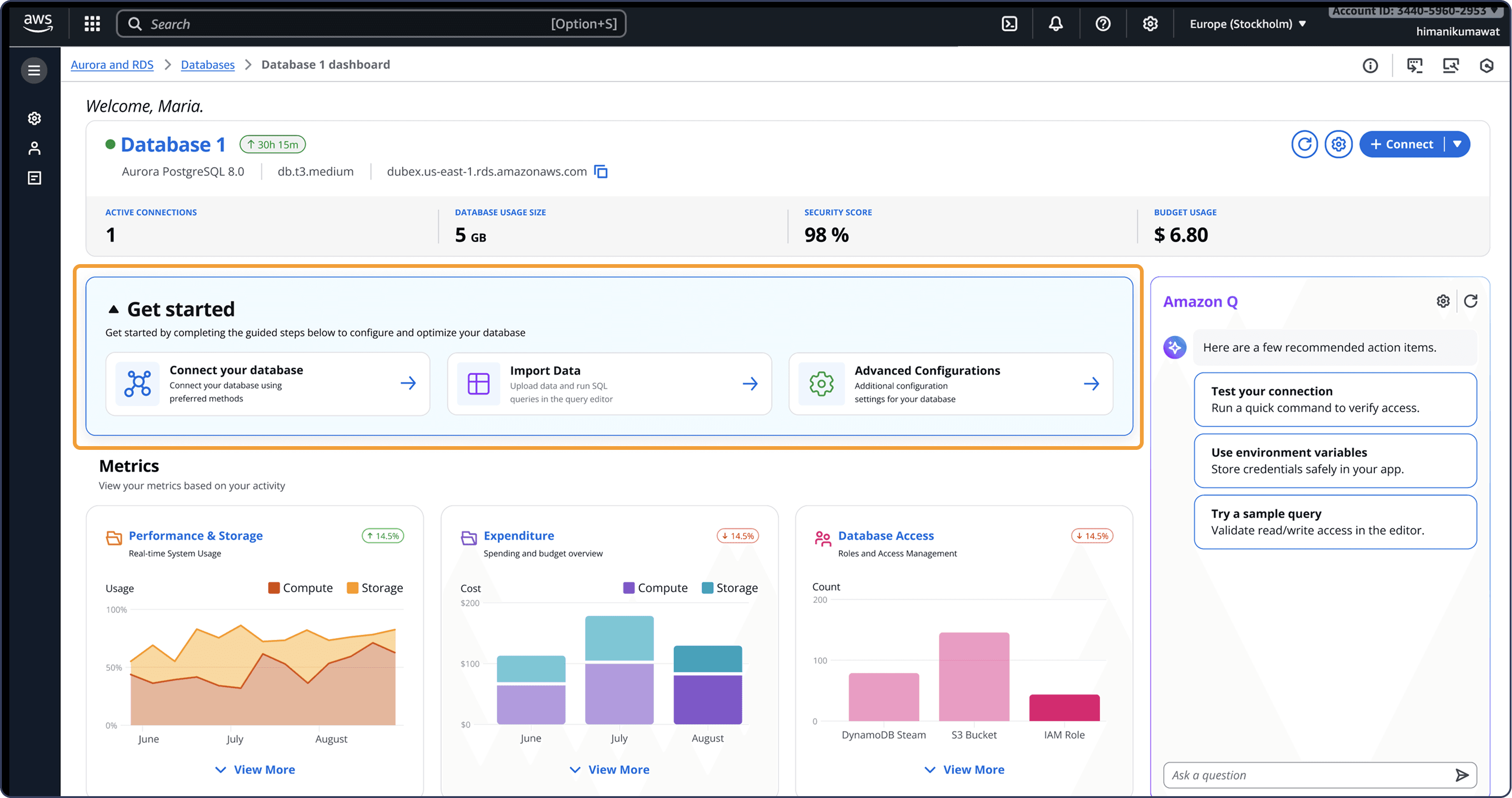
In the following iteration, we elevated guided tasks as a core onboarding feature to help new users build familiarity with the platform and move confidently through their next steps.
Usability testing summary
Clearer setup experience
Users found the streamlined form modern, intuitive, and clear without feeling stuck or overwhelming.
Stronger dashboard visibility
The enhanced Guided Tasks, Overview, and Real-time Metrics made the console feel like a more actionable command center.
Hybrid onboarding validated
Conversational AI paired with use-case templates helped make complex setup feel faster, more guided, and manageable
A New Streamlined, Intuitive RDS Workflow
A simplified journey that boosts user confidence and completion rate
Database Setup (Step 1 of user journey)
Conversational AI (Amazon Q)
Streamlined database creation
Guided 4-step prompt
Essential input only
Database Setup
Use-Case Template Selection
Structured card-based selection
Personalized template recommendations
Reduced configuration
Database Management (Step 2 of user journey)
Visual Console
Guided CTAs for next-step actions
Metrics visualization and status visibility
Contextual AI support within console
Database Management
Guided CTAs for new users
Immediate one-click connect to database
Contextual AI support within query editor
Shaped by target user goals and expectations
Impact
How did we measure success?
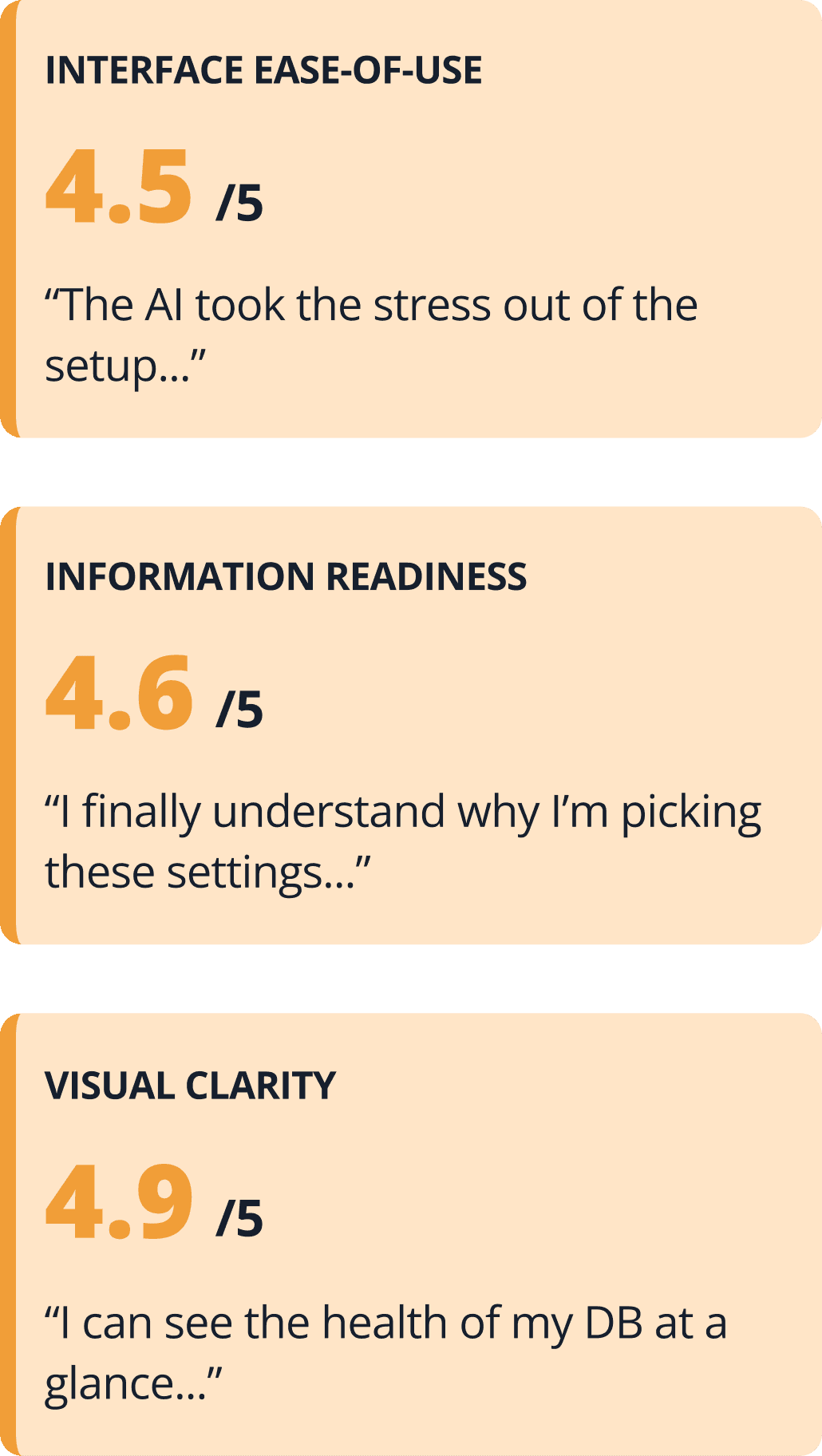
The scores below came from 35+ unmoderated usability tests.
They served as the final validation that our redesign successfully addressed core user frustrations.
Users completed database setup 7 minutes faster in the redesigned flow, with noticeably less hesitation and friction than in the legacy experience.

Key metrics
Accelerated setup flow
The redesigned flow cut database setup time by 7 minutes, helping users reach the console faster and stay engaged in the AWS workflow with stronger task momentum.
94% Information readiness score
Users could immediately understand how to work with their data, with key information surfaced upfront and noticeably less hesitation and friction than in the legacy experience.
Next Project
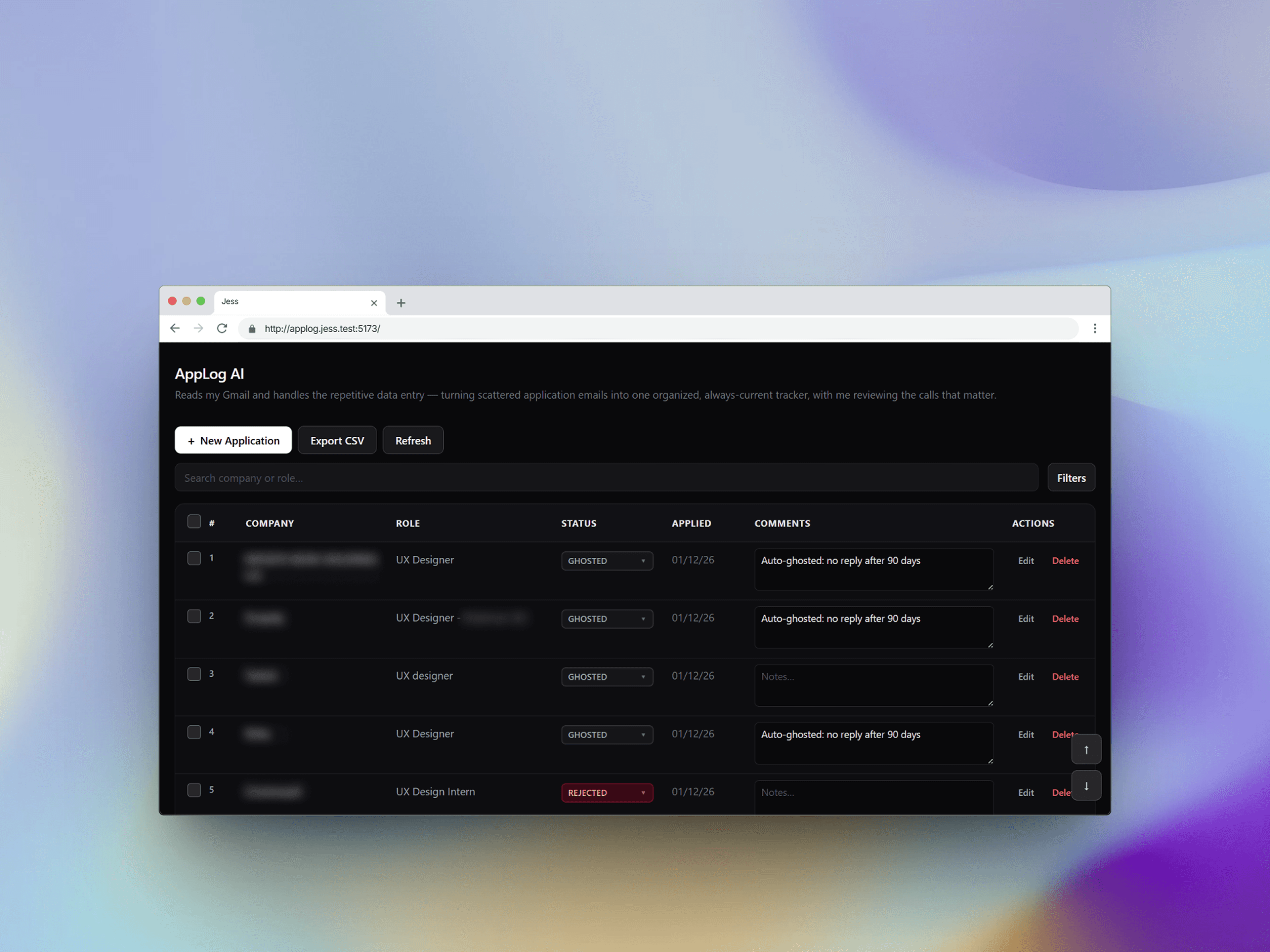
Applog AI
A job tracker that updates Itself